RateTube.ru
 Канал:
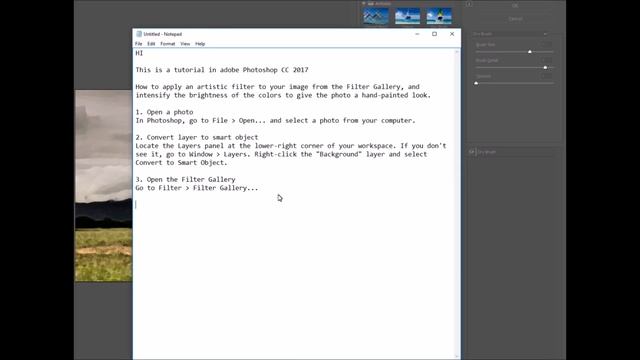
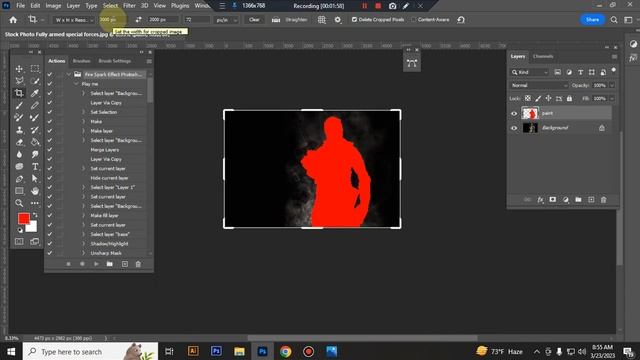
This is a tutorial in adobe Photoshop CC 2017
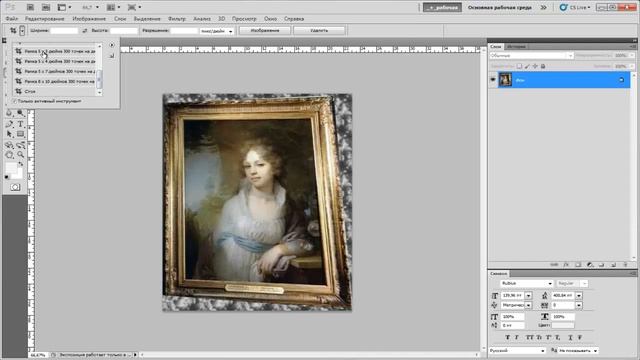
How to apply an artistic filter to your image from the Filter Gallery and intensify the brightness of the colors to give the photo a hand-painted look.
1.
Open a photo
In Photoshop go to File - Open...
and select a photo from your computer.
2.
Convert layer to smart object
Locate the Layers panel at the lower-right corner of your workspace.
If you dont see it go to Window - Layers.
Right-click the Background layer and select Convert to Smart Object.
3.
Open the Filter Gallery
Go to Filter - Filter Gallery...
4.
Apply the Dry Brush filter
Select the Dry Brush filter from the Artistic folder to the right of the photo preview.
On the right of the window are the filter options.
For the sample photo set the Brush Size to 7 the Brush Detail to 9 and the Texture to 1.
5.
Intensify the colors
Locate the Adjustments panel above the Layer panel to the right of the workspace.
If you cant see it go to Window - Adjustments.
Click the Hue - Saturation adjustment in the second row of icons.
Done!
The result of applying just two effects is a bright stylized image that has a hand-painted appearance.
cwww.helpx.adobe.com
Источник: rutube.ru
⇒Расскажите об этом видео Make a photo look like a painting - Photoshop cc 2017, своим друзьям в социальных сетях.
Ссылка на страницу с видео:
HTML-ссылка на страницу с видео:
Код для вставки плеера:отзыв магазин respect. настоятельно рекомендую НЕ покупать-Татьяна ...
НОВЫЙ РАБОЧИЙ ЧИТ ДЛЯ NEXT RP. СПИДХАК ДЛЯ NEXT RP. БОТ NEXT RP-NEX...
Реал получил флай и райд леги в адопт ми баг - онлайн
КАК ПОЛУЧИТЬ ДОСТУП К ЛЮБОЙ ПОЧТЕ/СТИМУ/ВК И ДРУГИМ СОЦИАЛЬНЫМ СЕТЯ...
13 фактов о сериале Зачарованные ✨ - онлайн