RateTube.ru
 Канал:
QuickAnalysis exceltips
Hello Friends
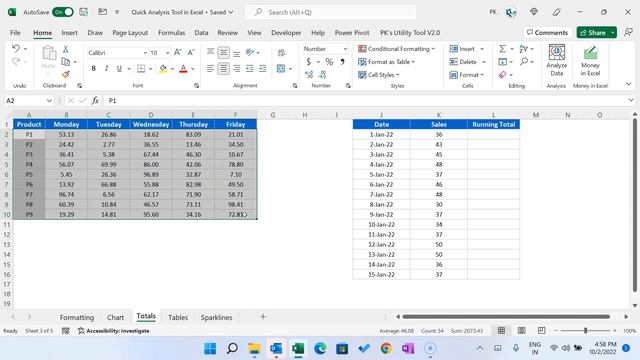
In this video you will learn how to use Quick Analysis Tool in Microsoft Excel.
Quick Analysis Tool is used to apply the quick conditional formatting Quick Charts add Totals Quick Pivot Tables and to add quick Sparklines in selected data.
After selecting the data you can press CtrlQ Shortcut key to open the Quick Analysis Tool.
Download the practice file from the below link:
Download the Free Project Management Dashboard
See our Power BI Dashboard videos:
Learn and download our interactive Excel dashboards free of cost-
Download the Calendar Control in VBA from below link
Download our free Excel utility Tool and improve your productivity:
See our Excel Products:
Visit to learn more:
Chart and Visualizations:
VBA Course:
Download useful Templates:
Dashboards:
Watch the best info-graphics and dynamic charts from below link:
Learn and free download best excel Dashboard template:
Learn Step by Step VBA:
Website:
Facebook:
Telegram:
Pinterest:
LinkedIn:
Instagram:
Visit our Amazon Store
Источник: rutube.ru
⇒Расскажите об этом видео Quick Analysis Tool in Microsoft Excel Step by Step tutorial, своим друзьям в социальных сетях.
Ссылка на страницу с видео:
HTML-ссылка на страницу с видео:
Код для вставки плеера:КОД НА 9999 ГОЛДЫ В СТАНДОФФ 2! ВЗЛОМ СТАНДОФФ2! КОД НА ГОЛДУ В СТА...
Немного ебеней города Орла - Фото - онлайн
В селе Беломестная Криуша упал купол - онлайн
Подъезной путь на Кучинский керамический завод в Железнодорожном (г...