RateTube.ru
 Канал:

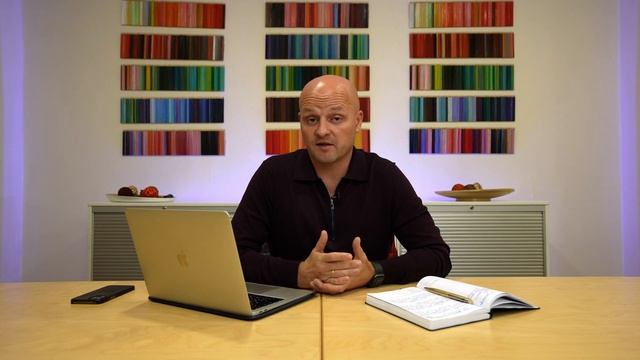
Did you know that whatever you create in Excel could be AUTOMATICALLY reflected in PowerPoint?
In this video you will learn how to create automated charts and tables in PowerPoint from Excel.
Ill show a table and a graphic samples and will teach how to incorporate them into your presentation in a way that whenever you update your Excel your Presentation will get automatically updated together! This trick will avoid you to waste tons of time in always copypaste same table and same graphic to same deck over and over.
-----------------------------------------------------------------------------------------
Content Breakdown
Business Case Intro: 0:00 1:17
Linking PowerPoint to Excel: 1:18 - 5:01
4 Bonuses: 5:02 - 09:36
Thank You!: 09:37 - 09:58
-----------------------------------------------------------------------------------------
Features Explored in this Video
- PowerPoint and Excel Chart and Table Sync
- Checking which are all external links
- Fixing broken links - The annoying warning message
-----------------------------------------------------------------------------------------
Trick Stats
- Complexity: 1 out of 5
Doing CtrlC and CtrlV is really easy :
- Performance: 5 out of 5
Because you are not going to concern much anymore with updating your decks every day over and over your performance will enhance a lot!
- OrganizationControl: 5 out of 5
You are AUTOMATICALLY get all your graphics and tables in sync with the Excel source gaining a tremendous control in ensuring that no updates will be left behind
- Deliverable: 5 out of 5
For this video this one goes hand-to-hand with organization.
By having all graphics and tables updated you are ensuring your presentation is the best in class! With real time contents to impress your audience all the time along side with the expedited time you will have to get decks ready you have now a awesome deliverable.
-----------------------------------------------------------------------------------------
A little background about myself
Im a Program Manager working for a prestige world-wide IT and Telecom corporation present in more than 100 countries and having more than 35 thousand employees.
Im 8 years working for this company and within this period I managed to grow from a technician to a Director and be relocated several times.
All of these before 40s.
I was only 35 years old when I was relocated to USA and only 36 years old when I was promoted to Direction level.
My ultimate goal is to teach you my path how I managed to do it my right choices and the bad ones as well to short the several years long corporate journey from expert to Director into just few years.
Among several skills you have dominating MS Office was one of the success keys to call attention to my efficiency organization and outstanding results delivered.
-----------------------------------------------------------------------------------------
Lets get in touch
e-Mail: diogoofficetothepoint.com
Web: Under Construction
LinkedIn:
YouTube:
Instagram:
Facebook:
Twitter:
-----------------------------------------------------------------------------------------
REFERENCES
Icons made by Freepik
PowerPoint Excel HowToCreateAutomatedChartsAndTables
Источник: rutube.ru
⇒Расскажите об этом видео How to Create Automated Charts and Tables in PowerPoint from Excel, своим друзьям в социальных сетях.
Ссылка на страницу с видео:
HTML-ссылка на страницу с видео:
Код для вставки плеера:Промокод в игре Великий Султан Чит.Описание-TheDianka 1 - онлайн
УСТРОИЛ ЛОВУШКУ ЗА ДШКУ ПРЕДАТЕЛЯ В S... - онлайн
СТРИМ ПОЗЗИ В ROBLOX РОБЛОКС РОЗЫГРЫШ... - онлайн
Танцевальный ансамбль для детей сотрудников БГУ «Лiтарынка». Докуме...
ALbum "Do Svidania" Jeanne Aster& Альбом "До свидания 'Жанна Астер ...